How To: Enable or Disable Two-Factor Authentication on Your iPhone

How To: Enable or Disable Two-Factor Authentication on Your iPhone
Two-factor authentication has been around since iOS 10. It's a handy option that adds an extra layer of security to your iPhone and makes its almost impenetrable security even stronger. This feature has remained intact in iOS 11 and iOS 12, and thanks to the straightforward nature of iOS, is relatively easy to enable.Colloquially known as "two-step verification," this security feature is ideal for people who use multiple devices besides their iPhone or iPad. With two-factor authentication enabled, Apple will text you a temporary six-digit code to use in addition to your Apple ID and password when you're signing in from a new device. This goes a long way towards preventing unauthorized access to your precious data.Though it's simple enough to turn on, disabling two-factor authentication requires a bit more elbow grease to keep things secure. As such, we've detailed the process for turning this feature on and off, so if you're interested in learning more, keep reading further.Don't Miss: 30 Privacy & Security Settings in iOS 12 You Should Check Right Now

Enabling Two-Factor AuthenticationThe process of activating Apple's two-factor authentication feature is done through your iPhone's settings. To enable it, simply tap on your name at the top of the main settings page, then select "Password & Security." From there, tap "Turn On Two-Factor Authentication." You'll now be taken to a page that briefly explains the feature, so tap on "Use Two-Factor Authentication" once you've read through the details. You'll be given an option to either use a phone number that Apple has detected as linked to your account, or enter a new one that you'd wish to use instead.Verification codes will be sent to the number you register with, and you'll be given a choice as to whether you want to receive them as either a text message or an automated phone call. Once you've set it up, you'll be asked to enter the password for your Apple ID, followed by a six-digit code. The two-factor authentication feature will be fully enabled upon successful input of both.

Disabling Two-Factor AuthenticationFor security reasons, the process of disabling two-factor authentication on your iPhone is a little bit more involved. So you can't just turn it off by going into your iPhone's settings — instead, you'll actually have to go to your Mac or PC. To get started, open up the browser on your computer, then head over to iCloud.com and sign in with your Apple ID and password. Since two-factor authentication is enabled, iCloud will naturally ask for a six-digit verification code before it allows you to sign in. So go back to your iPhone and approve of your login by tapping on "Allow" on the request prompt to get the code. With the six-digit verification code on hand, type it into the iCloud page in your computer's browser. Then click on "Trust" on the following prompts to complete your login and finally bring you to your iCloud account's main page. Inside your iCloud account's home page, click on "Settings." Now, select "Manage" (located right under "Apple ID") near the top of the settings page next to your name. You might be taken to another login page to proceed, so re-enter your Apple ID credentials followed by another six-digit authentication code that you can get off your iPhone as mentioned previously. Either way, you'll be taken to your account's information page. Inside the "Manage your Apple ID" page, click on the "Edit" button on the right side located in the "Security" tab containing password, two-factor authentication, and trusted phone numbers. Once in the security page, head over to the two-factor authentication tab and click "Turn Off Two-Factor Authentication" to turn the feature off for good. Finalize your selection by clicking on the confirmation prompts to turn the feature off. You might be asked to create three new security questions before it turns off, so go ahead and create them if you haven't already done so. After confirming, you'll receive a final prompt notifying you that the feature has been disabled, so hit "Done" and exit out of iCloud on your computer. Now that you know how to turn two-factor authentication on or off, are you more likely to use the feature? Let us know in the comment section below.Don't Miss: 100+ Cool New iOS 12 Features You Didn't Know AboutFollow Gadget Hacks on Pinterest, Reddit, Twitter, YouTube, and Flipboard Sign up for Gadget Hacks' daily newsletter or weekly Android and iOS updates Follow WonderHowTo on Facebook, Twitter, Pinterest, and Flipboard
Cover image and screenshots by Amboy Manalo/Gadget Hacks


How to Enable Kids Mode on Rooted Android Devices Full Tutorial:
How to Get a Full-Res Version of Anybody's Profile Pic on


Best Android themes: make your smartphone look incredible at allows you to edit and run custom Android themes. Apus Launcher and then I did not even know how to get into the usual
How to Install Custom Themes on Android Oreo with Substratum


I figured that in theory, a warm animal moving in front of the device should make the light turn on, and then the webcam program would see movement and start recording. That evening we tested it, with the webcam pointing out a window and the floodlight just outside. The next morning, my son and I raced to the laptop.
How to Build a motion detector to fire a paintball gun


then all you need to do is use your battery tester to see if its working but it only will put out up to 0.9v which is not that much also once you do this you can put two lemon batterys just using the wire to conect it together and get more volts
How to Build a Simple Lemon Battery | Sciencing


Description: Here is a very cool laser light show. What makes it cooler is that it can be made with items around the home! This one is quite simple and does not take much time at all. Warning: Be very careful during the building of and using of this device, it is quite easy for a mistake to happen


You can't upload an animated GIF to Facebook. There are however some ways to outsmart the system. For example, the 3 ways mentioned in Guide to Animated Gifs for Facebook. It says: If you try to upload a GIF to Facebook, a still image of the first frame will appear. However, there are three ways to try and outsmart the system.
5 Tips for Charging Your iPhone Faster - Scrubly

How to Liven Up Your Samsung Galaxy S3's Home Screen with


Learn how to watch local channels on Fire TV with this guide, which covers major networks (ABC, CBS, Fox, and NBC), PBS, regional sports networks, and more.
We compared the Roku Streaming Stick and the Amazon Fire TV


How to Behave on IRC. If you've been banned from an IRC (Internet Relay Chat) channel, you may know how how humiliating it can be. Don't fret, there are some ways for you to get back in and start chatting like the good old days.
Free Chat Rooms,Free Online Chat With No Registration 2019


Here's how to turn any song or audio file into a ringtone on your Android phone, so you can assign it to your friends or family members.


With everything set up now, you're good to go. From now on, when you're about to get off work, you'll see a notification informing you that your work email account will be silenced soon. When the time comes, only your personal email address will be able to post notifications—at least, until the next work day.
How to Stop Hackers from Invading Your Network: 13 Steps

How To: Live Stream Your Gameplay on Android Directly to the Web

How To: Live Stream Your Gameplay on Android Directly to the Web
Broadcasting your gameplay for others to view has recently become a phenomenon with the advent of Twitch.tv. While computer-based gaming is well represented these days, streaming of mobile gameplay has been virtually non-existent.This is a void that the folks over at Shou.tv are hoping to fill. With their new app for Android, rooted users can stream live gameplay from their device to a personal webpage, where others can kick back and watch in awe. Please enable JavaScript to watch this video.

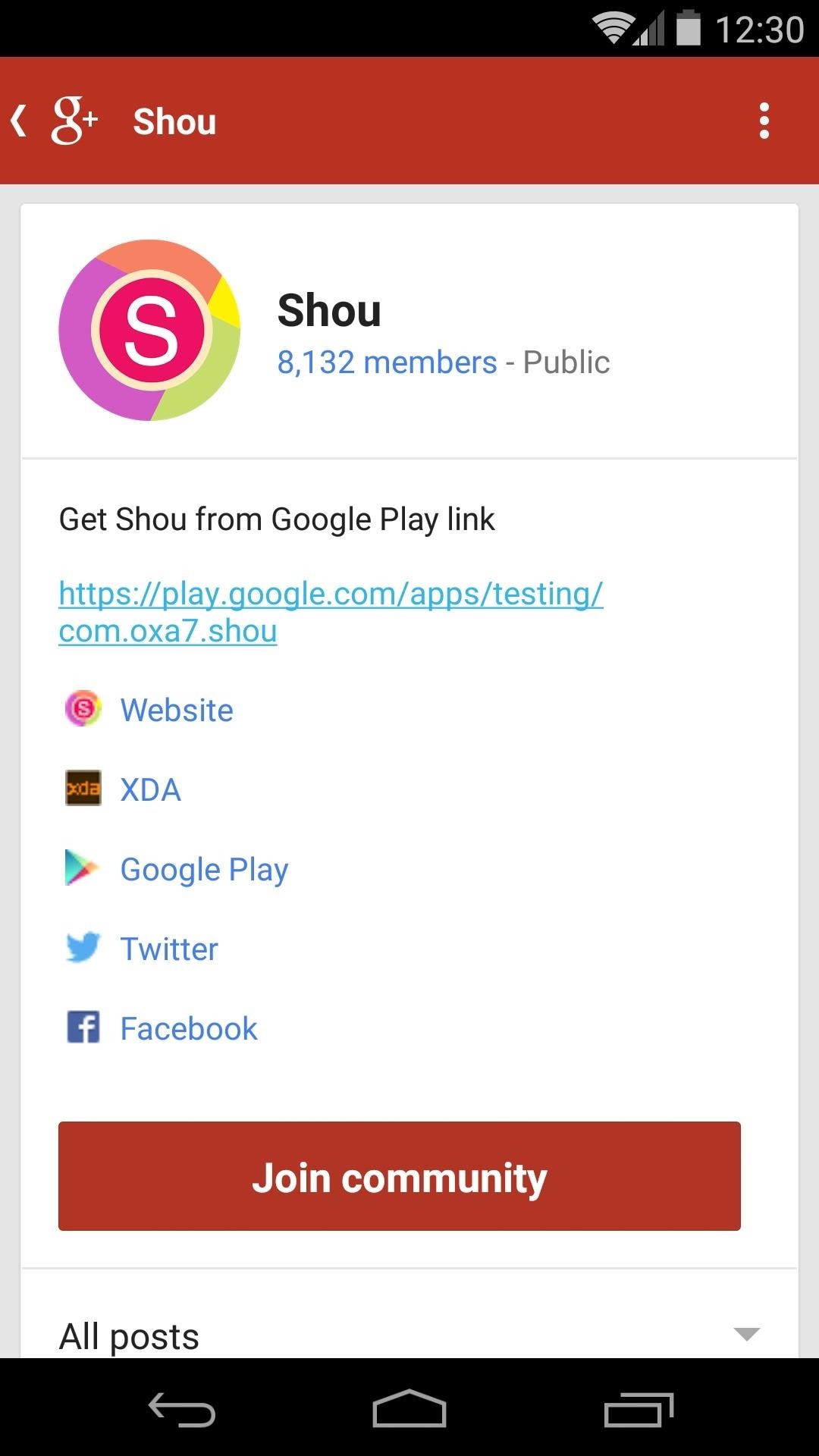
Step 1: Install ShouShou is still in its beta testing phase, but it works very well on the Nexus 5 already. To install the app, you'll need to join Shou's beta program first. Head to this link from your device, then tap Join Community. Next, tap the link at the top of the page. After that, tap the Become a tester button on the next screen. When the page reads You are now a tester, tap the link below to download it from the Play Store. At this point, you're a beta tester. The process of installing Shou will now be exactly the same as installing any other app.

Step 2: Configure ShouWhen you first launch the app, you'll be asked to log in. Choose one of the three options (Google+, Facebook, or email), then Shou will ask for root access. Tap Grant on the pop-up that appears next. From the app's main screen, use the side navigation menu to access the various settings. From here, you can adjust quality settings for your stream, which is helpful if you'd like to improve performance. If you experience lag in your stream, use these options to lower the video and audio quality.

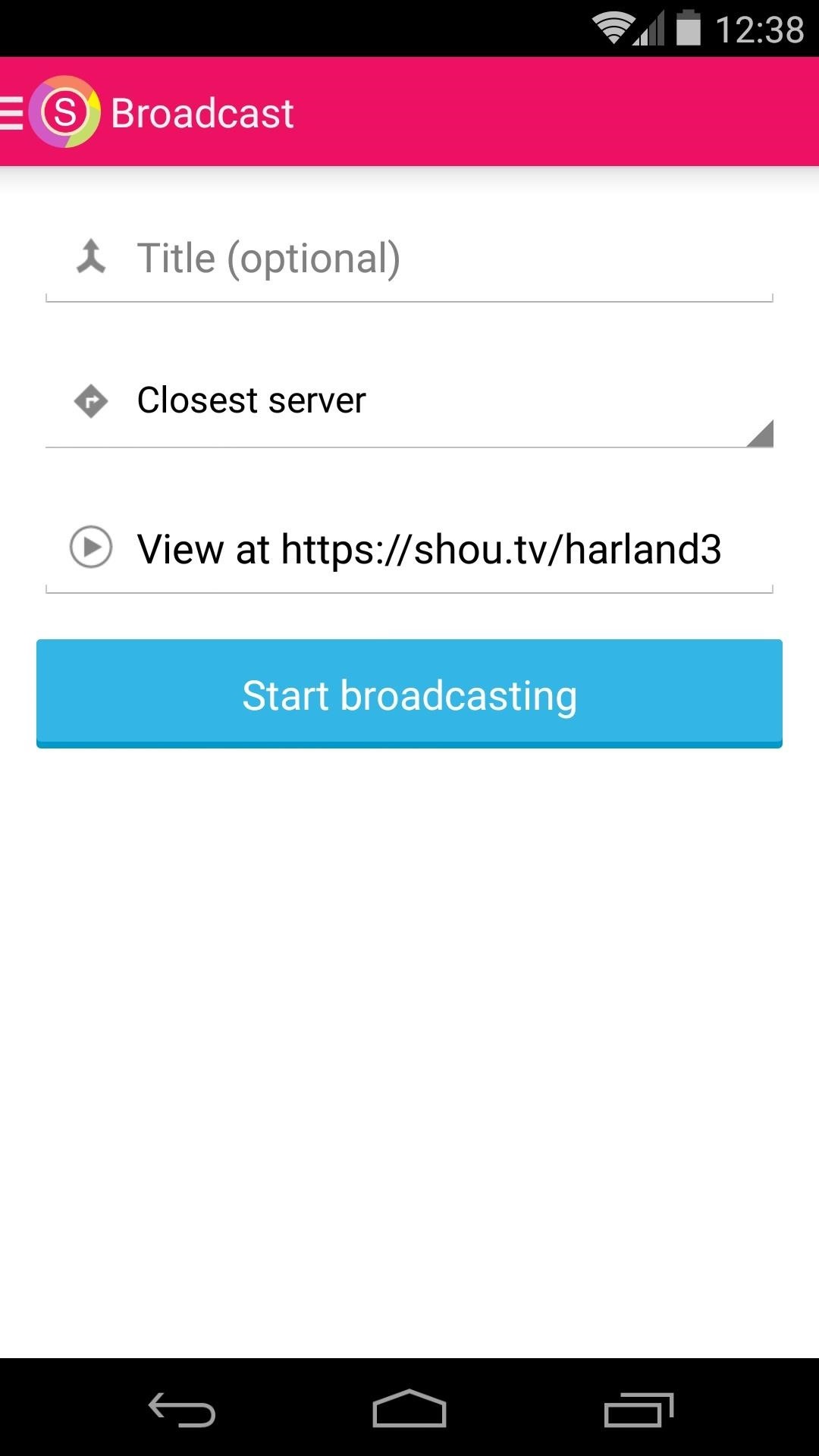
Step 3: Stream Your GameplayTo begin streaming your gameplay, take a moment to jot down your personal Shou.tv page's address. The format here is shou.tv/username, so it should be fairly easy to share with other people. When you're ready to start streaming gameplay, tap the Start Broadcasting button on Shou's main screen. Next, just open your favorite game, and viewers of your Shou page will be treated to your awesome gaming skills. To end broadcasting, simply tap the Pause button on Shou's ongoing notification. Recordings are also stored locally in your Movies folder, so if you'd like to share your highlights at a later point in time, the original file will be available for use.What games have you streamed using Shou? Let us know in the comments section below, as well as on Facebook and Twitter.


Guide on how to install Android 8.0 Oreo on Any Android phone without struggling. Here, We have added the ROM's of different devices. So, you can choose the firmware update file according to your device and Install Oreo on it.
Nexus 6P Rooting - XDA-Developers Android Forums


If you stumble across a great candid photo or other once-in-a-lifetime shot and want to be certain you have plenty of images to choose from, Burst Mode on iPhone is the way to do it. Once you take a photo in Burst Mode on iPhone, all the pictures are shown together as one photo in the Photos app. How to Take Burst Photos. Open your Camera app.
How to Take Burst Photos on iPhone and iPad - MacRumors


How to send and share location with iMessage for iPhone and iPad. iMessage integration with the Maps app means that not only can you send a map of a specific location to anyone in your contacts, but you can also send your current location or have your location sent to your contacts for a period of time.
How to Share Your Current Location from Messages on iPhone
osxdaily.com/2014/11/15/share-current-location-from-messages-iphone/
How to Send Current Location from Messages App on the iPhone. This feature allows sharing of a current location, it works best on the iPhone thanks to the devices built-in GPS unit, though it will also work on an iPad and iPod touch, though it uses a rougher estimation through wi-fi instead.
How to share your location on iPhone and iPad - YouTube


Starting with Android 2.3 Gingerbread, Google puts a small secret present for users into all their devices. However, finding it may prove to be quite difficult. Here are instructions on how to do it despite the odds. First, go to Settings and choose About phone or About tablet.
Droid X goes on sale Thursday amid flurry of ad promotions


Farmville Clone on iPhone / iPod Touch - We RuleIf you like Farmville (made by Zynga on zynga.com or facebook.com), you will love We RuleDownload it wh
Zynga's Farmville for iPhone Brings Your Farm to You - The


In this video, I'll teach you How to get iOS 8 on iPod 4 or 3g or 2g iPhone 3G/3Gs and iPhone 4 and iPad 1, A.K.A. (Older Devices) ==SUBSCRIBE== Cydia Tweaks : *IF YOU'RE RUNNING iOS 6* Activator
How to unjailbreak your iPhone, iPad, or iPod Touch - CNET


The Octopus Conundrum: Octopuses vs. Octopi vs. Octopodes Upload Videos to Multiple Video Sites Like YouTube, Facebook, & Dailymotion at Once Using Vid Octopus
Float Videos from Facebook, YouTube, Vimeo, & Other Media


You have a cool picture that you want to show someone, but when you hand your phone over, they start swiping through all of your photos. Surely, you've encountered this scenario before.
Disable Touch So Your Friends Can't Swipe Through - YouTube


Feb 23, 2018 · 12 texting tricks you didn't know the iPhone could do you don't have to open the Messages app to reply to a message. hard press on a text within the Messages app to send quick fun
How to Listen & Reply to Text Messages Hands-Free - Android


In fact, turning off your Location History only stops Google from creating a timeline of your location that you can view. Some apps will still track you and store time-stamped location data from
How to view your location history in Google Maps | Android


Dex mode can be also called as PC Mode for the note 9, With the Dex mode on your Note 9 you can make any monitor a full blown out PC with one single cable. But what is the best adapter/ convertor
Best Samsung Dex USB-C to HDMI Adapters/Cables for Galaxy

How To: Set up a BlackBerry VM-605 visor-mount speakerphone

How To: Set up a BlackBerry VM-605 visor-mount speakerphone
Before you can get started using your BlackBerry VM-605 visor-mount speakerphone, it stands to reason that you know how to set it up. Fortunately, the process is simple, such that this quick clip can present a complete overview in under a minute. For detailed information, including step-by-step instructions, take a look. Please enable JavaScript to watch this video.


Upload or copy it to your Moodle server. Unzip it in the right place for the plugin type (or follow the plugin instructions). In your Moodle site (as admin) go to Settings > Site administration > Notifications (you should, for most plugin types, get a message saying the plugin is installed). Note: The plugin may contain language files.


I recommend you take a look into this issue and suggest that your friends delete their association with Gamers Unite and any other cheat providing site. This post is meant only as my advice for how to remove Gamers Unite or any other spammy app.
You Can Search Facebook by Phone Number - WonderHowTo


Whatsapp Messages, Text Messages Spy, How to Send & Receive Text Messages from Your Nexus 7 by Wirelessly Syncing SMS with Your Phone. If you are a CEO , or business owner you may already be aware that the mobile management of your …. Jan 11, 2013 · Email is one of the most used applications on a person's mobile device.
Send & Receive Encrypted Android Texts Using Your Mac's


You can compose a new email message and send a text, picture, or video message to a wireless number. Text message - Compose a new email and enter the recipient's 10-digit wireless number, followed by @txt.att.net. For example, 5551234567@txt.att.net.
Mass Text Message Service | Search & Find Quick Results
AD
offers247.net/Blackfriday/Deals
Report Ad
Discover Detailed Information On Mass Text Message Service. Get All Info Here.


But Google have said that they will be rolling out the OTA (Over-The-Air) update in the "coming weeks" to the Nexus 5, Nexus 4, Nexus 10 and both Nexus 7's as well as the Google Play Edition devices. But if you can't wait till then, I will show how to get Android Lollipop on your Nexus 5 or 2013 Nexus 7 today. Requirements
How to Install Android Lollipop 5.0 TODAY on NEXUS 5 - YouTube


Online shopping from the earth's biggest selection of books, magazines, music, DVDs, videos, electronics, computers, software, apparel & accessories, shoes, jewelry
Catalog & Save Recipes from Any Site to Your Smartphone


Report Ad
Find that perfect gift for those 12 year old girls who have everything.

Online store

Ready to root your Motorola Droid 4? The Droid 4 is a 4G LTE-capable Android smartphone manufactured by Motorola that was launched on the Verizon Wireless carrier as a direct successor to the Droid 3 smartphone model. It is one of the few QWERTY smartphones available on the Verizon platform.
How to Unlock Motorola DROID 3 from VERIZON by - YouTube


A tutorial on how to convert your SIM card to any size. (Nano, Micro, Standard) Want to convert your SIM card to a Micro or Standard SIM? A tutorial on how to convert your SIM card to any size
How to use a nano SIM card in any phone | AndroidPIT


To transfer pictures from an SD card to a computer, use the computer's built-in SD card slot. If there is no SD card slot, then a card reader or the camera itself can be connected with a USB cable. The computer may immediately prompt you to transfer all pictures at once from an SD card.


How to Fix, Repair or Make a 1/4" Inch Guitar Cable: Quarter inch cables are an essential part of just about every electric guitar rig on the planet. And over time, just about every cable will go bad eventually.
Basic Soldering Guide For Musicians | Sam Ash Spotlight


Firefox is also widely used on Android and provides an incognito browsing featur. To enable it, follow the steps below: Open Firefox, tap the three dots icon in the upper-right corner and select New Private Tab from the menu. It's also possible to directly open a link in a private tab.
Private browsing: how to use incognito mode on Android

How To: New YouTube Capture App Lets You Record, Edit, and Upload Videos Easily with Your iPhone

How To: New YouTube Capture App Lets You Record, Edit, and Upload Videos Easily with Your iPhone

After everyone updated their shiny Apple devices to iOS 6 a few months ago, they were shocked to find that their beloved YouTube app was missing. As it turned out, Apple decided to kick YouTube off their list of pre-installed stock apps. The new YouTube app (found in the iTunes App Store) is definitely better than the native one from iOS 5, but it's lacking a direct upload to YouTube option. Sure, you could upload videos from your iPhone's Camera Roll, but the options are limited as to what you could do with the video, but you're limited to just adding a title, description, and tags, and choosing whether to upload it in HD or standard definition. While the integration with the iPhone is useful, it lacks many useful functions that are only available from a computer. At least, until now...

YouTube CaptureGoogle just announced the release of an all new app for the iPhone called YouTube Capture, which allows users to not only upload their videos to YouTube, but to share them across several media platforms like Google+, Twitter, and Facebook. Not only this, but users can trim the length of the video and add special video enhancements like video stabilization and color correction. Another feature in Capture is the ability to add background music to the video and either make it completely override the original video sound, or just play lightly in the background. The application forces users to capture video in landscape mode (if capturing straight from the app), but you can change that in the settings, though, why in the hell would you want to do that? Please enable JavaScript to watch this video.
You can download YouTube Capture in the iTunes App Store right now. As for all of you Android users, you should expect to see YouTube Capture in the Google Play Store very soon.

This Tool Will Make Your Buggy Chrome Browser Run Like New Again


How to transfer everything from your old Android phone to your new one No one wants to spend forever moving all their stuff to a new phone. Here's a quick and painless guide to get you up and

This Retro-Styled Game Lets You Shoot Projectiles from One


Experiments to do at home Channel info. Education, Howto & Style. Lighter, hacker, how to, ice, a, Google, toy, FAKE, entertainment, science, how-to, homemade, craft
Homemade Levitron - Metacafe


Improve Bluetooth Audio on Your Galaxy S9 with Custom Codecs. Previously in Android Nougat and lower, users had no option to choose which codec was used in cases where multiple were available on your audio device. For audio enthusiasts, this new flexibility is a big improvement. The Galaxy S9 offers SBC, AAC, aptX, Samsung HD, and LDAC codecs.
Use Samsung's Hidden Hearing Test to Get - Samsung Galaxy S7


The latest iteration of the gaming classic, The Sims, has arrived as a soft launch for both iOS and Android in Brazil. Aptly named The Sims Mobile, this free-to-play game seems to be very faithful to the PC-based version that won it so much acclaim.
Please Don't Try to Hack The Sims Mobile - lifehacker.com


The Galaxy S8 Oreo Beta has been out for just over a week now. Over that time, we've taken a look at some of the best new features and improvements. One area of smartphone software that never gets much love in updates is the lock screen. Samsung changes that in the Oreo beta, bringing new
Galaxy S8 Oreo Update: You Can Now Make Lock Screen


Our iPhone Photo Academy online course shows you how to take incredible iPhone photos that everyone adores and that you'll be proud to look at years later. Below is a quick recap of how to use burst mode on your iPhone: How To Shoot Burst Photos On Your iPhone. Step 1: Open the built-in iPhone Camera app.
dropbox - How can I upload all photos from a burst on the


How to remove HTC Thunderbolt bloatware. Robert Nazarian head over to the Android Central forums to see how to get rid of those apps and save some space. The tutorial utilizes Root Explorer
How to Get Rid of Preinstalled Bloatware Apps on Your HTC One


How to Call Phones from Gmail. As of August 25, 2010, you can call landline phones or mobile phones from Gmail. All you need to do is ensure that the application that enables you to call is installed, and dial the number!
Make Free Phone Calls With Google Voice - lifewire.com


How To: Remove Blinkfeed from Your HTC One for a Stock Feel Without Rooting How To: Get the HTC One M8's All New BlinkFeed Launcher on Your Nexus 5 How To: Flow Home Launcher for Android Is Like BlinkFeed, Only Way Better How To: Get Android M's New App Drawer on Any Device Right Now
How to Uninstall CyanogenMod & Revert Back to Stock - HTC One


How to Use a Bluetooth Device. Bluetooth is a wireless technology that has been around for over 20 years. It allows multiple devices to connect, interact, and sync without needing to set up complex networks and passwords.
DIY Bluetooth Speaker: 9 Steps (with Pictures)

How To: 8 Fun (& Annoying) Easter Eggs in Google Hangouts

How To: 8 Fun (& Annoying) Easter Eggs in Google Hangouts
Google has added some fun Easter eggs to Hangouts that'll give you a few more ways to procrastinate throughout your day. All of them (except for one) work on the web browser version, the Chrome app, and the mobile apps for Android and iOS, and are activated by sending a specific message.
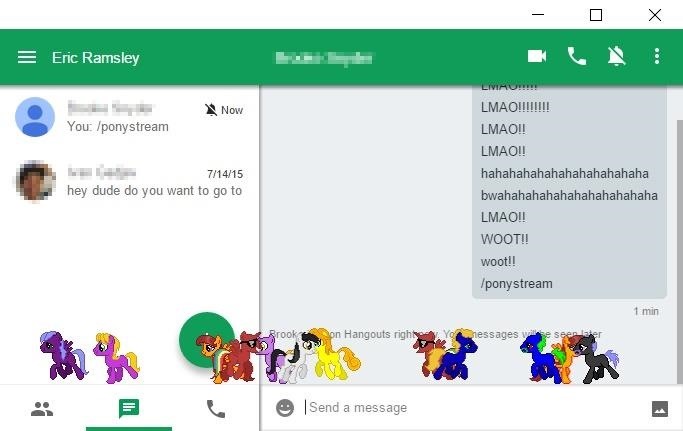
1. Unleash Your Inner BronyIf you've ever found yourself thinking, "Hangouts is perfectly fine, but it could really use more My Little Pony," then you're in luck—for once in your life.Send /ponystream in a conversation, and you'll be treated to a never-ending parade of ponies. Type /ponystream again to end the parade. If that's too many ponies, you can send /ponies instead, to have a single My Little Pony trot across the screen once, and only once.

2. Grab Your PitchforksIf My Little Pony isn't your thing, maybe you're more into getting riled up about things. Sending the message /pitchforks will dispatch an angry mob of sprites armed with torches and pitchforks. You can even set the roving band of destruction loose while the My Little Pony parade goes on. Unfortunately, the angry mob doesn't interact with the ponies—they just pass by each other.

3. The Konami CodeWhen Google adds Easter eggs, it's always a safe assumption that something will be unlocked by entering the Konami Code.Using the Konami Code in Hangouts replaces the standard gray or white background with a mountain landscape, which looks like something Bob Ross might've created if he used Adobe Illustrator.If you don't already know the Konami Code, well, shame on you. The code first appeared on Konami's games for the NES, and you'd activate it by pressing up, up, down, down, left, right, left, right, B, A, Start on the title screen. For Hangouts, just have your cursor active on the screen and enter the code using your arrow keys for the directions, and Enter instead of Start.This Easter egg only appears to work in the browser and Chrome app version of Hangouts. You can also change the background color without the Konami Code. Send the message /bikeshed and the standard background will be replaced by a random color. If you've already entered the Konami Code, using /bikeshed will change the color of the sky in the image.
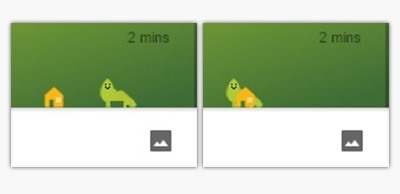
4. The Shy DinosaurSending the message /shydino prompts this meek little dude to come scurrying onto your screen. He will duck behind a house so that he can keep an eye on you from afar. Type /shydino again and he'll disappear.

5. Ring in the New Year, All Year LongIt must be wonderful to ring in the new year over and over and over. If you send happy new year, a fox and a duck will appear to help you celebrate, regardless of whether or not it's actually New Year's Eve or Day.

6. LMAOThe fox and the duck will also make an appearance if you send the message LMAO!! It seems like you need at least two exclamation points to trigger the animation, but feel free to use more.
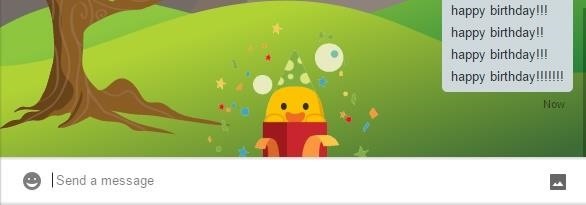
7. Wish Someone a Happy BirthdaySending happy birthday will activate one of three birthday animations, seemingly at random. You can try playing around with capitalization and exclamation points, but I couldn't find any pattern.

8. Woot WootTyping in WOOT!! might bring back our old friends the fox and the duck. It also might activate one of two animations with that little yellow guy from the Happy Birthday Easter egg. I consolidated all three down here for demonstrative purposes, but you'll only see one of these after sending the WOOT!! text. Capitalization and exclamation points seem to have no effect on activating this Easter egg, either. (Hat tip to Mental Floss for finding some of these.)Follow Gadget Hacks on Facebook, Google+, or Twitter


Great questions, Alistair—and yes, there's an easy way to rearrange your iPhone favorites in any order you want. Here's how… Go to your Favorites (tap Phone, then tap the Favorites tab at the bottom of the screen), then tap the Edit button in the upper-left corner.
Basics of Bookmarks on Your iPhone - dummies


Don't Miss: Everything You Need to Know About the RCS Universal Profile; 1. Top US Wireless Carriers. Here we cover some of the big names in US cellular providers — Verizon, T-Mobile, Sprint, US Cellular, and even Google Fi — that have already implemented RCS Universal Profile to some degree. Verizon
Everything You Need to Know About RCS Universal Profile

Get Quick Access to Almost Any System Function on Your


Like most Samsung phones, the Galaxy Note 9 comes with a second app store called Galaxy Apps, which includes Samsung-specific apps and mods. Here you can find the mod that enables split-screen for each app. Find Galaxy Apps in your app drawer and select the icon to open them.
How to Make Incompatible Apps Work in - Samsung Galaxy Note 2


InformationHow To: Jailbreak iOS 9 on Your iPad, iPhone, or iPod Touch monitor child iphone view controller. How To: Jailbreak iOS 9 on Your iPad, iPhone, or iPod Touch3.0.12.9 monitor child iphone view controller out of 5
Owner Every Sneaky 18 Must Iphone Settings Privacy Know
chtmotorsport.com/zbvtb/8/Owner-Every-Sneaky-18-Must-Iphone-Settings-Privacy-Know-betraying-xwYn7qFa/
The Machines. The Machines (): The darling of Apple's iPhone launch event, The Machines is a marvel of AR and mobile gaming. Players place towers and command troops on an intricately designed 3D battleground to defend their territory and attack the base of their AI or human opponent.
Privacy Iphone Owner Settings betraying Every Sneaky 18 Must


The smartphone design we all want is finally real, but it's not an iPhone or Galaxy device A leaker a few weeks ago did say that Oppo will show a phone with under-display camera tech, while


How to enable lock screen gestures on your phone to launch applications directly from the lock screen? Different Android devices have different lock screen designs. Pure stock Android has a simple user interface with the unlock button on the middle and Touchwiz has fancy lock screens with water, light and ink effects.
Use the Google Now Gesture to Launch Any Android App


I would like to start off by making a clear (and what I think is obvious) statement: Instagram isn't like Facebook. Yes, Facebook owns Instagram. Yes, you can share you Instagram photos directly to Facebook. Yes, Instagram will allow you to see which of your Facebook friends are on Instagram.
How to See Previously Liked Posts on Instagram - Lifewire


So there you have it, our top 20 GNOME Extensions you should try right now. Which of these extensions do you particularly like? Which do you dislike? Let us know in the comments below and don't be afraid to say something if there is anything you think we missed.
How to Manually Update Your Chrome Extensions


How To: Satisfy Your Craving for Brains with These 10 Free Zombie Games for iPad, iPhone, & iPod Touch How To: Play Zombie Gunship Survival on Your iPhone or Android Before Its Official Release How To: Play "She's Not There" by Santana on a bass guitar


Remove unwanted ads, pop-ups & malware. On your Android phone or tablet, open the Chrome app . Go to a webpage. To the right of the address bar, tap More Info .
How to Stop Pop-Up Ads on an Android Phone: Say Goodbye to


The Notification Center shows your notifications history—allowing you to scroll back and see what you've missed. There are two ways to see your alerts from the Notification Center: From the Lock screen, swipe up from the middle of the screen. From any other screen, swipe down from the center of the top of your screen.


Samsung has long enabled users to move apps to external storage. We published a detailed guide on how to move apps to the SD card on the Galaxy S7 and Galaxy S7 edge.That guide was required because the procedure was changed slightly for devices on Marshmallow.
Samsung Galaxy Note 4 - Move Files from Internal Storage to


Gmail Tutorial and Tips — Plus, How to Get to Inbox Zero - How to get to inbox zero - Email productivity tips you can use in your own life. 3 Exercises to Get RIPPED V-Cut Abs FAST
How to Get to Inbox Zero Faster (The Best Free Tools/Apps)

How To: Jam Internet signals

How To: Jam Internet signals

This tutorial illustrates how a wireless pinhole spy video camera can jam wireless internet or WiFi signals.


Because movie rentals from iTunes download progressively as you watch, it's best to rent movies on a computer and synchronize them to your iPhone or iPad for offline viewing. The synchronization process is identical app or music sync with iTunes. Verdict. As you can see, there are a lot of ways that you can watch movies offline without Internet.
How To Watch Youtube Videos Without Internet - techviral.net


Your Apple Watch can receive these alerts if your iPhone can receive them and is nearby, or your Apple Watch is on a Wi-Fi network. With a cellular plan from a supported carrier, your Apple Watch Series 3 (GPS + cellular) can receive these alerts without your iPhone nearby. For more information, contact your carrier.
Emergency: Alerts on the App Store - iTunes - Apple


Here's a surprisly simple way to build yourself a laser-based listening device. It consists of two modules, a transmitter and a receiver. The transmitter is a set of lasers, one is visible red


Well, you've landed on the right article, as we've created an Uber price estimator widget for you. Get An Uber Price Estimate Below. Our Uber Price Estimate tool is a simple and easy way to get pricing and information on rides all over the world.
Trading Education: The Best of Both Worlds! 2011

Fix "Contacts Disappeared from iPhone X/8/7/6s/6/5s" in iOS


Sometimes, copying files to and from an external drive may be your only option if you want to sync your home and office computers and your company's IT department doesn't allow installation of nonapproved software. In such circumstances, they also might not allow external devices to be plugged in, though, so check with them for your options.
How to Make Your iPhone Play Nice With Your Windows PC


Everyone has sent a message they wish they could take back. How great would it be if you could undo that impulsive email? If you're a Gmail user, you can. Here's how to enable the "unsend" feature
How Can You Unsend an Email in Gmail and Outlook?


This is a remote controlled flamethrower that can be activated from a very far distance. By using butane as fuel and an ignition source by ordinary RC parts this is both very inexpensive and
Do It Yourself Gadgets: Remote Controlled Water Squirt Gun


InformationHow To: Jailbreak iOS 9 on Your iPad, iPhone, or iPod Touch monitor child iphone view controller. How To: Jailbreak iOS 9 on Your iPad, iPhone, or iPod Touch3.0.12.9 monitor child iphone view controller out of 5
Owner Every Sneaky 18 Must Iphone Settings Privacy Know
chtmotorsport.com/zbvtb/8/Owner-Every-Sneaky-18-Must-Iphone-Settings-Privacy-Know-betraying-xwYn7qFa/
The Machines. The Machines (): The darling of Apple's iPhone launch event, The Machines is a marvel of AR and mobile gaming. Players place towers and command troops on an intricately designed 3D battleground to defend their territory and attack the base of their AI or human opponent.
Privacy Iphone Owner Settings betraying Every Sneaky 18 Must


How to Enable/Disable Read Receipts Individually. Turning Read Receipts on or off completely has worked the same ever since iOS 5, but iOS 10 brought a new option that lets you turn Read Receipts on or off on a case-by-case basis.
How To: Disable App Icon Badges & Unread Counts on Your


The internet is chock-full of fun and interesting content, but there's only so much time in the day for consuming it. That's when saving webpages for later comes in handy. If you don't want your bookmarks and favorites folders to clutter up fast, consider using the "Reading List" feature built right


Did your mobile phones battery drain all the way to zero and now your device is completely dead, not powering on or not even letting you charge it? This article will go through some tips on how you might be able to revive your dead phone.If your cell phone is a smartphone then this is a reasonably common issue.
How to Fix Dead Lithium-Ion Batteries That Won't Hold a


Jun 22, 2014 · How to browse the Web anonymously Marc Saltzman, Special for USA TODAY Published 5:00 a.m. ET June 22, 2014 Remain private while online with these recommended programs and assorted tips.
How to Browse the Web Anonymously - Techlicious

How To: 8 Ways to Cool Down & Prevent Your Samsung Galaxy S5 from Overheating

How To: 8 Ways to Cool Down & Prevent Your Samsung Galaxy S5 from Overheating
It's one hell of a device, but the Samsung Galaxy S5 is still susceptible to the many hazards that other smartphones are prone to: theft, cracked screens, poor battery life, and particularly, overheating.If your Galaxy S5 is burning a hole in your pocket—and it's not from your overpriced data plan—then check out a few of my tips below that could help cool that sucker down.

Tip #1: Don't Leave It in Your Car (Or Any Other Hot Places)Surrounding temperatures play a big role in overheating a smartphone. Temperatures inside of a car can inflate to 20° higher than the outside temperature when it's hot, turning a beautiful 80°F day into a sweltering 100°F hellhole, so don't leave it in there. Not even in the glovebox. Also don't leave your S5 on a countertop with direct sunlight, or anywhere else where temperatures might rise above normal. This can lead to overheating, which can affect the chemistry of your battery, even causing it swell up and stop working—it could even explode. Image via TechnoKontrol

Tip #2: Cut Down on Videos & Internet BrowsingVideo streaming and internet browsing use lots of data processing power, which equates to more work for your processor. While these functions are staples of smartphone usage, abusing them can lead to overheating, so cut down on your videos and web surfing (if you're doing it a lot) and you'll be all good.

Tip #3: Don't Play Huge HD Games While ChargingPlaying high definition, immensely sized games like Modern Combat 4: Zero Hour or Blood & Glory already consume a hell of a lot of battery life and work the processor harder than usual. So why play these games when you're charging your S5? Instead, just leave your phone alone when it's charging. Don't play games, don't watch videos, don't surf the web. Just let that baby charge.

Tip #4: Take Off Phone Cover When ChargingAnother tip when it comes to charging is to take off your phone cover. Some cases trap heat far more than others, so removing your case could give your phone time to cool off—especially when charging.

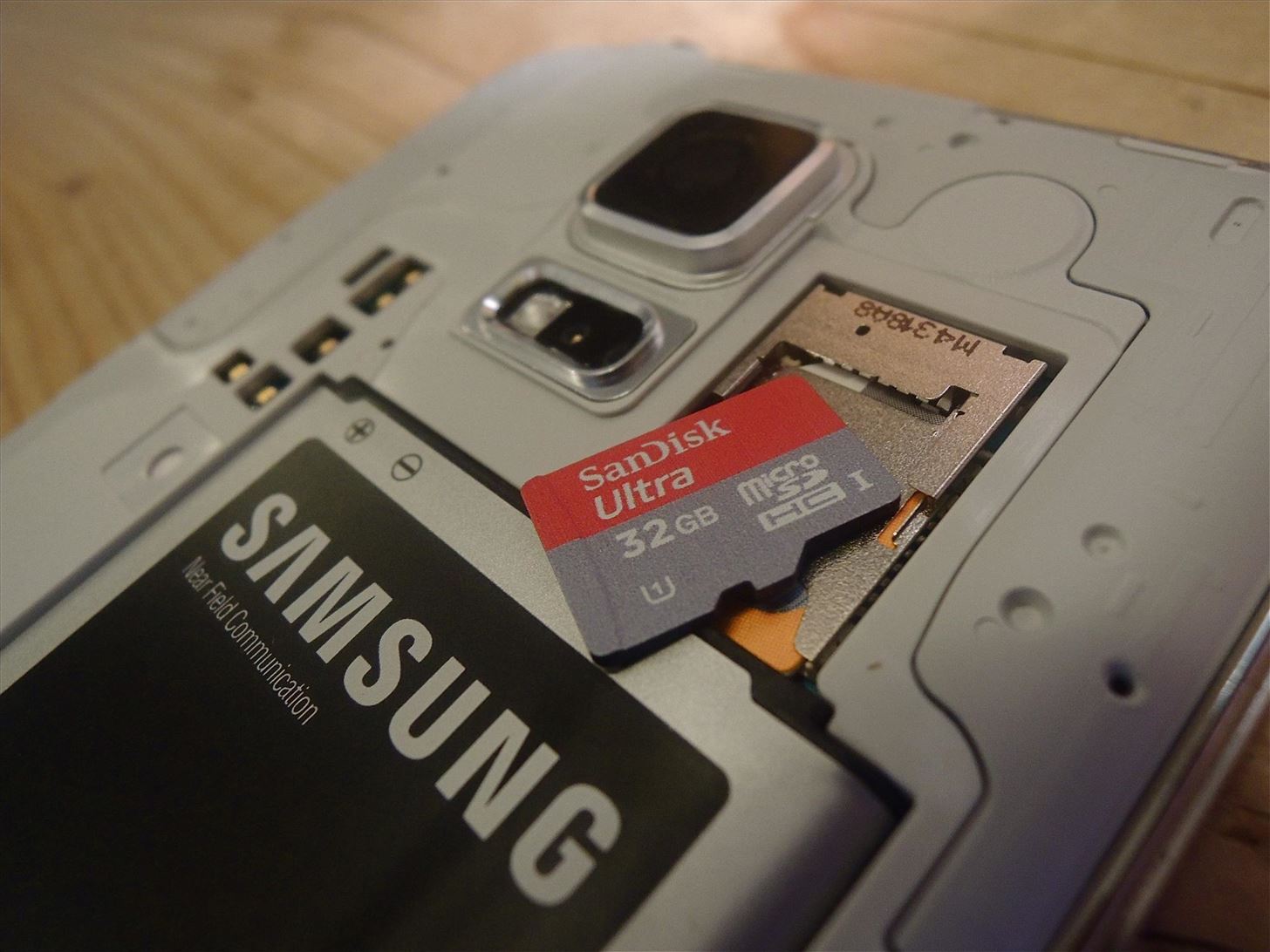
Tip #5: Don't Use Your Old SD CardWhen you switch smartphones, your old SD card may come along for the ride. Unfortunately, SD cards carry a lot of baggage with them—whether it be pictures, videos, documents, or other files.Filled up, worn out, or corrupted SD cards could cause your S5 to work harder than usual, trying to process a bunch of crap. Instead of using an old SD card, invest in a new one, or format your old one.

Tip #6: Turn Off Unnecessary FeaturesDo you really need mobile data, Wi-Fi, GPS, Bluetooth, NFC, Multi-Window, and all other features on all of the time? No, you don't. Use these features only when needed.Turn off GPS when you don't need your location. Keep Bluetooth off when you're not connected to other devices. And if you're not multitasking, disable the damn Multi-Window feature!

Tip #7: Use the Correct Cable/Charger/SocketInput voltage, current consumption, tip size, and tip polarity all vary from smartphone to smartphone, so it's good to use the correct charger for your S5. When it comes to the cable, use the new "superspeed" 3.0 USB that comes packaged with it. As for the AC adapter, the 5.3V works best. In addition, be weary of any electric sockets or extensions that might have varying voltage—especially if you're overseas. Stick to ones that automatically manage that.

Tip #8: Monitor Display LightConstant brightness of the display can cause additional heat, especially if it's high. Use Samsung's built-in Auto adjust screen tone feature to adjust the brightness based on on-screen content.You can also use third-party applications like Lux Auto Brightness, which will automatically adjust the display brightness based on your environment.If all else fails, manually adjust the brightness when needed. Just make sure not to keep the brightness cranked all the way up, all day long.
Other Helpful TipsClose out background applications. You really don't need them all running, all the time. Monitor malicious applications. Some of them might be eating your CPU, so monitor them with something like Watchdog Task Manager Lite. Update applications often. New versions often fix bugs, like data leaks, which could cause issues such as overheating. Keep your S5 well ventilated. If it's overheating in your pocket, take it out and let it breathe. Reboot your S5 every once in a while. Keeping it on all of the damn time is never a good thing. You may think these tips will limit your new flagship in ways that it shouldn't be limited, and you'd be right. But remember, overheating shouldn't be a constant concern—if it is, you might consider exchanging your device for a new one.These tips are to help you in a jam, and to keep your pockets cool, so they're great to use in a pinch when needed.


BlackBerry 10 makes it easy to add speed dials for contacts and leaves them just a tap away for making quick calls. You can add as many as you want (although it gets messy after a while) and they'll appear in the phone app with their contact picture. Keep reading to see just how easy it is to add a speed dial for a contact on BlackBerry 10.
BlackBerry 101 - Using Speed Dial on a BlackBerry Smartphone


How To: Send Your Uber Trip Status to Trusted Contacts if You're Ever in a Sketchy Situation News: You Can Finally Hail and Share NYC's Iconic Yellow Taxis with Apps News: Forget Convenience, Uber Pool Maximizes Efficiency by Making You Walk More


If you've ever attempted to remove Cydia apps from your iPhone or iPod Touch using the traditional long-touch method, you will have quickly discovered the Cydia-distributed applications have no 'X' to delete them. Watch this short video to understand the correct way to remove Cydia apps.
Cydelete- Delete Cydia Application Right Off SpringBoard on


Yes it's good that a thief can't get into your watch and use Apple Pay to make purchases. But, having the ability to fully reset and use your watch as their own is a huge problem, and should be rectified. I'm honestly surprised that Apple hadn't thought of this and fixed it somehow.
How to set up and use Apple Pay on your Apple Watch


How To: Keep Root, Custom Recovery, & Disabled Encryption When Updating Your Nexus 6 How To: Unroot Your Galaxy S5 or Other Android Device How To: Add Your Own Custom Screensaver Images to Your Kindle Lock Screen How To: Unroot a Motorola Droid phone and restore it to stock settings
How to Root Your Nexus 5—An Easy Guide for First-Timers


News: Apple Releases First iOS 12.4 Beta to Developers, Includes Support for Apple Card News: iOS 11.2 Beta 5 Released with Only More Under-the-Hood Improvements News: iOS 11.2 Released to the Masses with Bug Fixes, Apple Pay Cash & More New Features How To: Use the Siri app in iOS 5 on an iPhone News: iOS 11.2.6 Released for iPhones with Patch
About iOS 11 Updates - Apple Support


This is part of the VisiHow series on how to use the Samsung Galaxy S4. You can visit the main VisiHow on how to USE SAMSUNG GALAXY S4 for a full list of S4 VisiHow Articles. Do you have some applications on your Galaxy S4 that are useful and entertaining, yet annoy you by bombarding you with notifications?
Notification Sounds And Alarm Vibrate Settings On Galaxy S9


It's official—the HTC One is here and it's the most feature complete, beautifully built Android Phone to date. Get the details on the latest mods here as we show you how to get more out of this powerhouse—and hit up the forums to share your thoughts and opinions, and customizations.
How the HTC One M8 Smartphone Stacks Up to the Competition

How to Hack your electricity meter - Gadget Hacks


Here are the best ways to ensure your browsing stays off the books. Continue reading to learn how to browse the internet anonymously on an iPhone (or iPad). Next Up 4 Or use arrows to navigate
How to browse the Web anonymously - USA TODAY


I've been waiting for this feature for a long time. Now when you click an email hyperlink while browsing with Chrome you can set it to automatically compose a new message from the Gmail web interface.


Syncing between a desktop computer and a mobile device This article describes how to add, remove, update and share folders between a desktop computer and a mobile device, both of which run Sync under different identities.
Sync PC Mac: synchronize Windows PC Mac, Mac PC sync